 English
 العربية
 Français
 Deutsch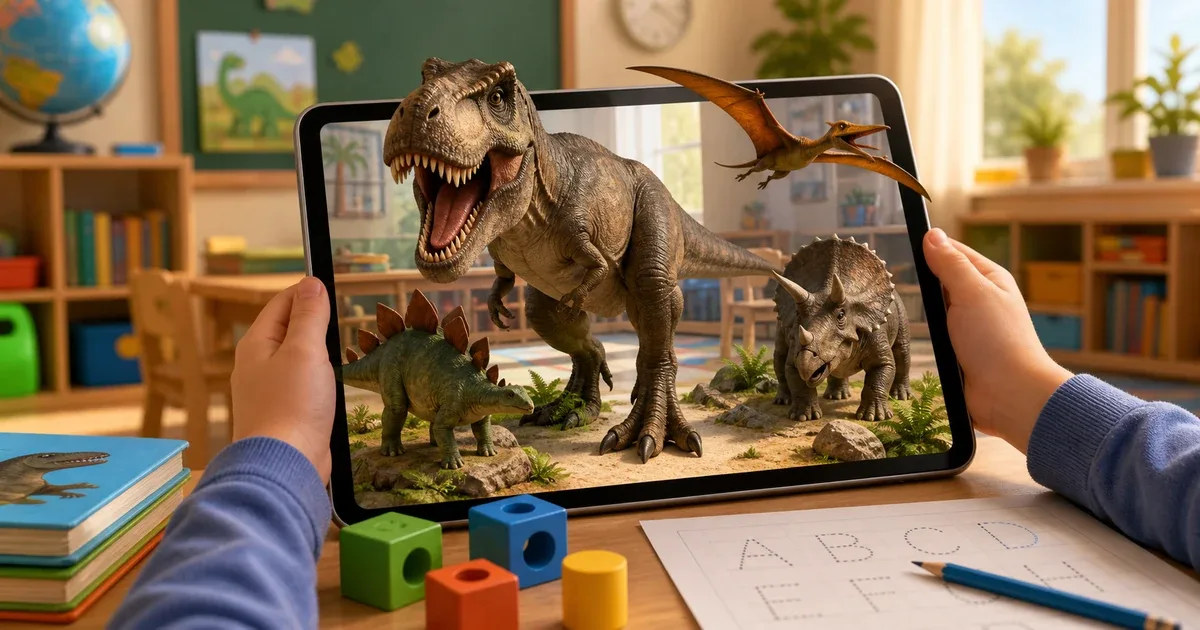
Why dinosaurs work so well for learning
Dinosaurs are naturally interesting to many children. A T-Rex, Triceratops, or Pteranodon can turn a normal lesson into a question-filled activity: What did it eat? How did it move? Was it big or small? Could it fly?
Dinosaurs AR 4D uses that interest as a starting point for learning. Instead of only showing a picture, the app lets children place 3D dinosaurs in the room, hear names and sounds, interact with movement, and switch between Arabic, English, and French.
The app is listed as free on iOS and is designed for children aged 4 and above.
What the app includes
Dinosaurs AR 4D includes 13 dinosaur species, including popular names such as T-Rex, Triceratops, Velociraptor, Stegosaurus, Brachiosaurus, Spinosaurus, and Pteranodon.
It also includes a 36-animal section, so the app is not limited to ancient creatures. Children can move between dinosaurs and familiar animals such as lion, elephant, horse, dolphin, frog, parrot, turtle, wolf, and zebra.
This combination is useful because dinosaur curiosity can lead into wider vocabulary learning. A child may begin with T-Rex, then compare it with animals that exist today.
Augmented reality without printed cards
The app does not require printed cards or special markers. A child points the camera at a flat surface, chooses the creature, and places the 3D model into the real environment.
Once the model appears, children can rotate it, resize it, zoom in, and use movement and sound controls. Depending on the creature, actions may include walking, running, jumping, flying, swimming, or roaring.
This makes the session more active than watching a video. The child can look from different angles, compare body shapes, and connect movement with sound.
Languages, sounds, and tracing practice
The app supports Arabic, English, and French. Choosing a language changes how names are presented and pronounced, which is useful for multilingual homes and early language learning.
Sound is also important. Roars and creature sounds make the experience more memorable and help children connect the name to the model.
The tracing board adds another layer. Children can practice Arabic letters, English letters, and numbers after exploring the creatures. That keeps the activity educational even when the main attraction is dinosaurs.
Ideas for parents and teachers
At home, use the app as a short guided session. Pick two or three dinosaurs, ask the child to listen to the name, repeat it, describe the creature, and compare it with another dinosaur or animal.
In class, it can work as a visual warm-up. One child can place a dinosaur, another can name it, and the group can talk about size, movement, sound, and language.
The screenshot feature is useful when a child wants to save a favorite scene. A parent or teacher can also use screenshots to document the activity.
How to use Dinosaurs AR 4D
- Open Dinosaurs AR 4D.
- Choose Arabic, English, or French.
- Select the dinosaurs section or the animals section.
- Choose the creature to explore.
- Point the camera at a flat surface.
- Place the 3D model in the room.
- Use sound, movement, zoom, and rotation controls.
- Open tracing practice when needed.
- Save a screenshot of the scene if you want to keep it.
For children who prefer living animals, Animals AR 4D is a natural next app. For a broader educational collection, explore AR Kids Kit 4D.
Final thought
Dinosaurs AR 4D works best when the adult turns the AR scene into conversation. Ask the child to name the dinosaur, describe its body, imitate the sound, compare two creatures, and repeat the name in another language.
That turns a dinosaur model into a real learning activity: vocabulary, observation, movement, sound, and early writing practice in one session.