Glazr Zip
Free archive manager that gets Arabic names right

Glazr Zip

Open, extract and create ZIP, 7z and RAR files with Arabic names done right, from the window or the right-click menu. Free, in Arabic, English, French and German.

Windows version coming soon to Microsoft Store.

Free. Signed and notarized by Apple, from IGY Apps’ releases page on GitHub.

On a Mac: open the downloaded file, drag the app icon onto the Applications folder, then open it from Applications and choose “Open” the first time.

Price
Free
System
Mac: macOS 12 or newer, Apple Silicon (M1 or newer). Windows 10 or 11 (64-bit): coming to the Microsoft Store
Version
1.0

Screenshots

About

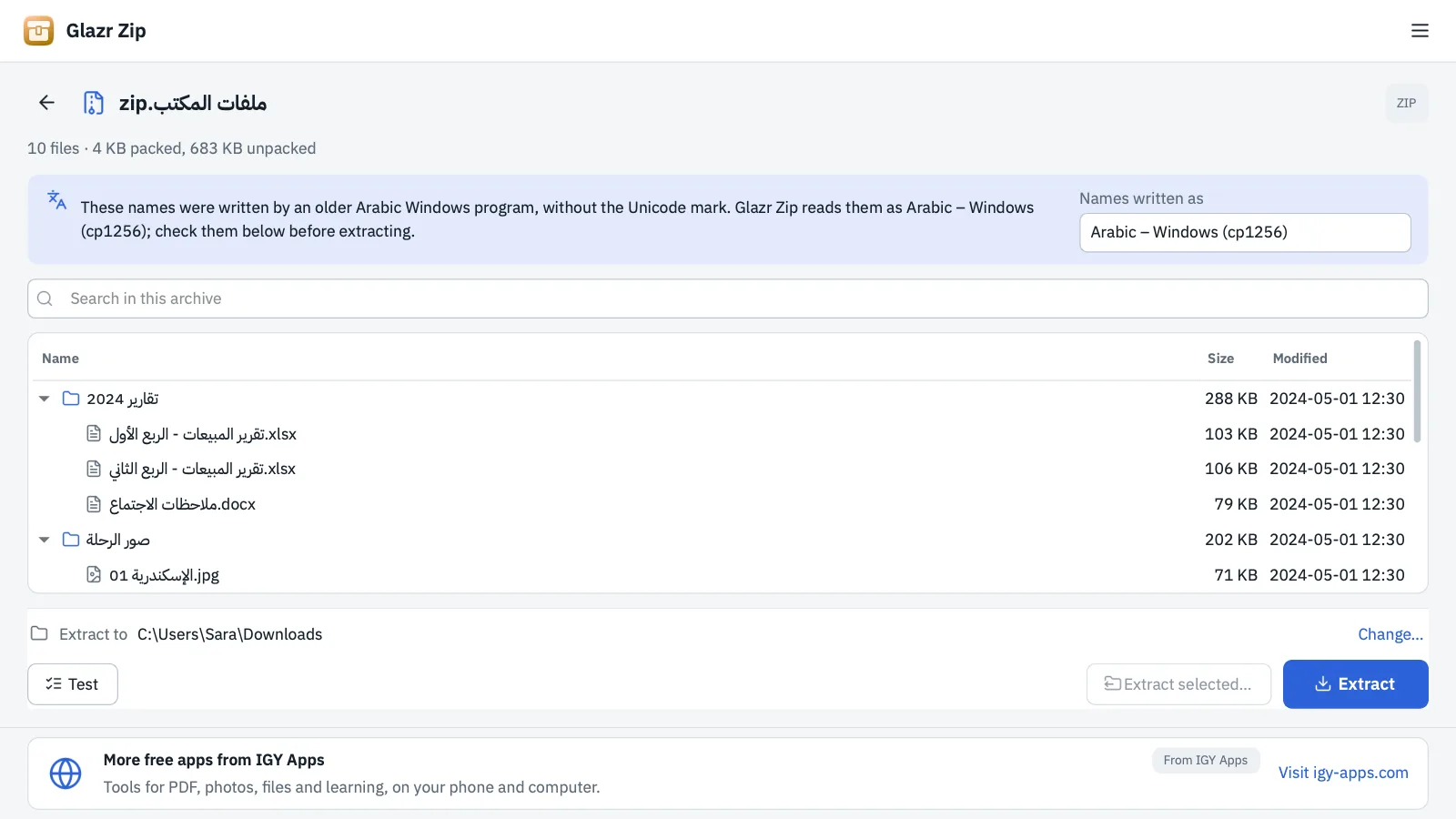
Glazr Zip opens, extracts and creates archives: ZIP, 7z, RAR, TAR, ISO and more. It is the archive manager that gets Arabic file names right: ZIP files made on older Arabic Windows often show names like “ãÑÍÈÇ” in other programs, while Glazr Zip reads them correctly, shows you the names before extracting, and can even repair folders that were already extracted with broken names.

Extract here, extract to a folder, or compress to ZIP straight from the File Explorer menu. Smart extraction never makes a folder inside a folder. Create ZIP and 7z archives with AES-256 passwords, split large archives into parts, and test archives for damage.

Safe by design: nothing is written outside the folder you choose, extracted files are never run, archives built to fill your disk are caught, and files from downloaded archives keep Windows’ “downloaded from the internet” protection.
What you get

  • Extract ZIP, 7z, RAR, TAR, GZ, XZ, ZST, ISO, CAB and split archives
  • Create ZIP, 7z, TAR.GZ and TAR.XZ, with AES-256 passwords and split parts
  • Arabic names from older Windows ZIPs shown correctly, with a live preview and a code page picker
  • Repair folders whose Arabic names were already garbled, with undo
  • ZIP files you create keep their Arabic names readable on any computer
  • Extract here, extract to a folder and compress to ZIP from the right-click menu
  • Smart extraction: no folder inside a folder
  • Browse and search an archive without extracting it, and test it for damage
  • Protection against harmful archives; extracted files are never run
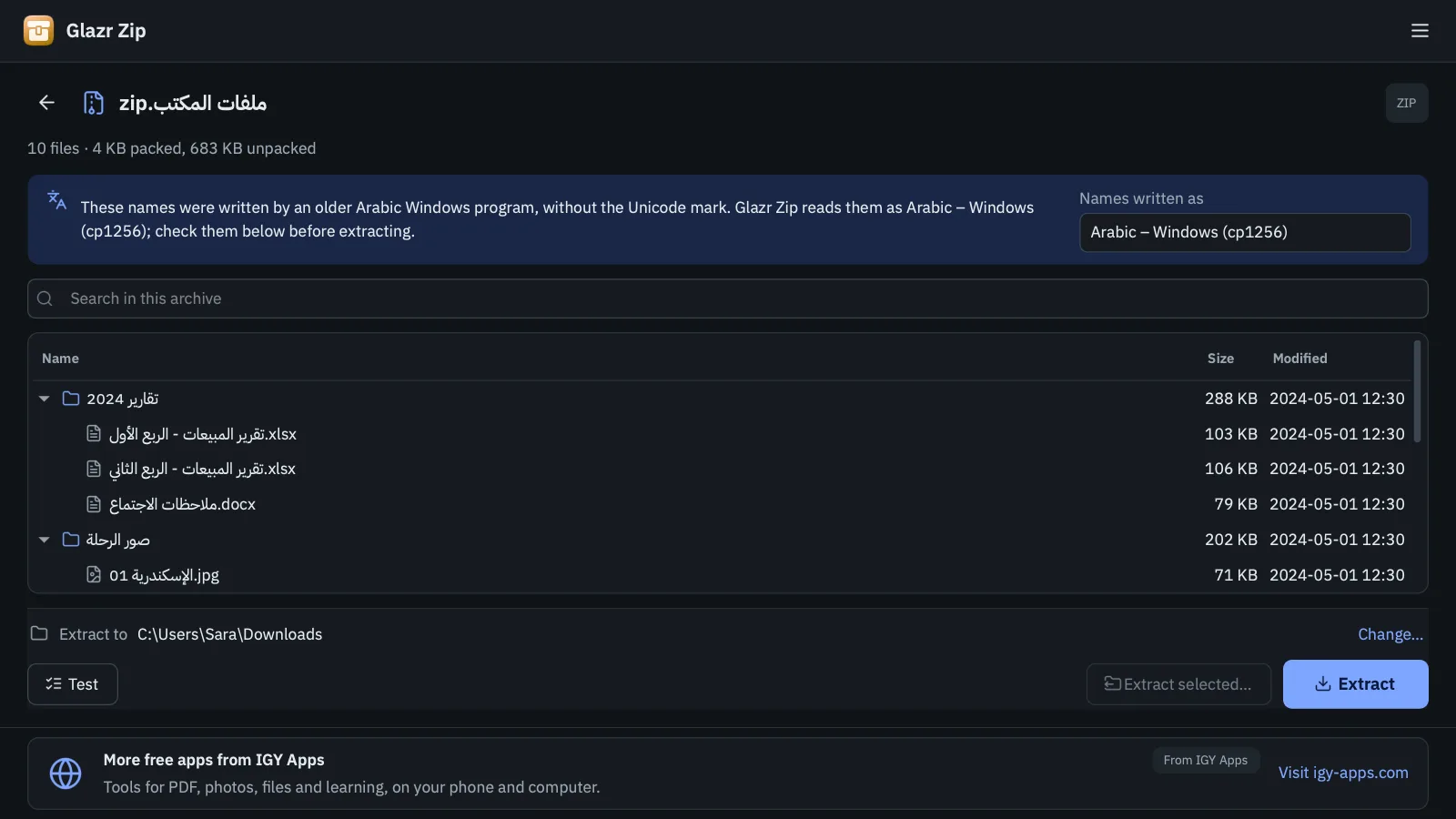
  • Free and works offline; Arabic, English, French and German, light and dark themes

Questions

Is it free?

Yes, completely: no trial, no nag screens and no account. A small banner at the bottom of the window shows news from IGY Apps and, sometimes, a sponsor that is always labelled.

Why do Arabic names look like strange symbols in other programs?

Older Windows programs wrote names in an Arabic code page (cp1256 or cp720) without marking it, so many programs read them with the wrong one. Glazr Zip detects the code page and shows the names correctly before extracting; you can also pick another one and see the result at once.

I already extracted files with broken names. Can it fix them?

Yes. Choose “Fix garbled Arabic names in a folder”: it shows the names before and after, changes nothing until you agree, and the repair can be undone.

Can it create RAR files?

No. It extracts RAR files and creates ZIP, 7z and TAR, because only WinRAR may create RAR archives.

Is there a Mac version?

Yes. The Mac version is available now for Apple Silicon Macs (M1 or newer) with macOS 12 or newer, signed and notarized by Apple. The Windows version is coming to the Microsoft Store.

Free tools on this site that go with it