 English
 العربية
 Français
 Deutsch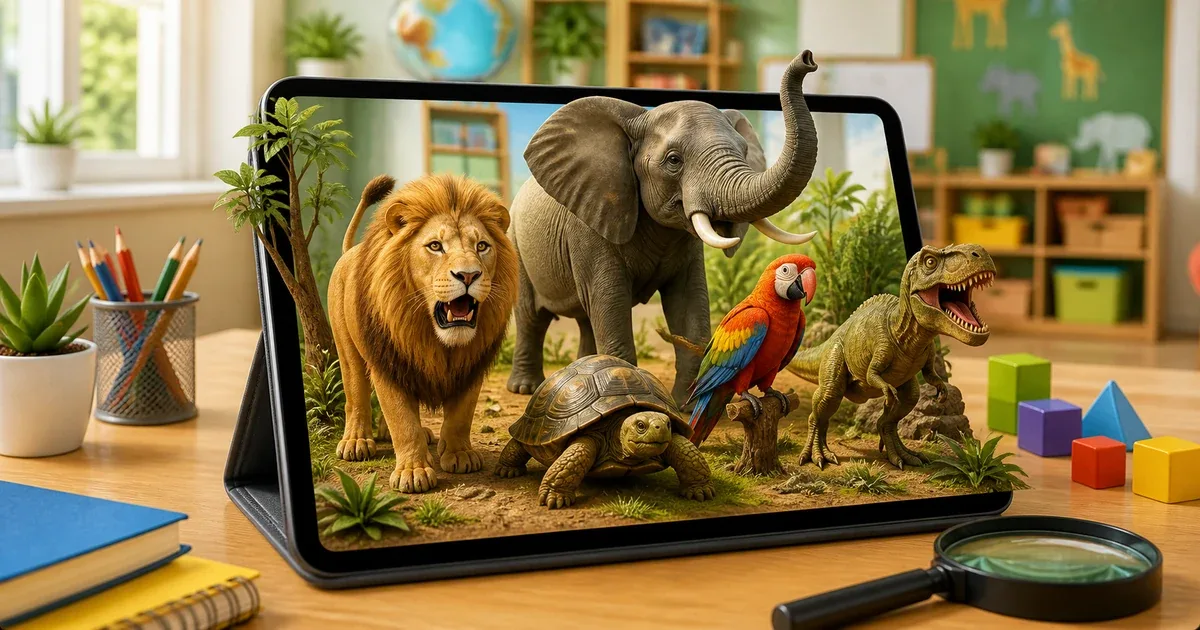
A more active way to learn animals
Children usually learn animal names from books, videos, flashcards, and classroom posters. Those methods still help, but augmented reality adds something different: the animal appears in the child's real space. A lion can stand on the floor, a parrot can appear on a desk, and a turtle can be rotated and viewed from different angles.
Animals AR 4D is an iOS learning app built around that idea. It combines animal names, real animal sounds, 3D interaction, multilingual pronunciation, dinosaurs, screenshot capture, and early tracing practice in one child-friendly experience.
The app is listed as free and is aimed at children aged 4 and above. It supports Arabic, English, and French for learning names and pronunciation.
What children can explore
Animals AR 4D includes 36 animals. The collection covers familiar animals children often recognize first, such as lion, elephant, horse, dolphin, frog, parrot, turtle, wolf, zebra, and more.
The app also includes 13 dinosaurs, including well-known names such as Tyrannosaurus, Triceratops, Velociraptor, Stegosaurus, and Brachiosaurus. This gives children a second discovery path when they are interested in ancient creatures as well as everyday animals.
This mix is useful because children do not all learn from the same entry point. Some are attracted to animal sounds, some to movement, and others to dinosaurs. A varied AR collection keeps the session more engaging.
How the AR experience works
The app does not require printed cards or special markers. The child points the camera at a flat surface, chooses an animal or dinosaur, and places the 3D model in the environment.
Once the model appears, children can interact with it. They can resize it, rotate it, play sounds, and trigger movement depending on the selected animal. Some animals support actions such as walking, running, jumping, roaring, swimming, flying, or attacking.
That interaction makes the animal feel less like a static picture. A child can look at shape, size, motion, and sound together, which helps memory and vocabulary learning.
Languages, sounds, and pronunciation
Animals AR 4D supports Arabic, English, and French. When a language is selected, the child can hear the animal name with the matching pronunciation.
This matters for multilingual families, language learners, and classrooms. A parent can introduce animal vocabulary in the home language, then repeat the same animal in English or French. A teacher can use the app as a short visual activity before asking children to say the names aloud.
The real animal sounds add another memory cue. Hearing a roar, bark, chirp, or other animal sound helps children connect the word with the creature.
Tracing practice inside the app
The app also includes a tracing board for early writing practice. Children can practice Arabic letters, English letters, and numbers.
This turns the session into more than animal recognition. A child may explore the animal, hear the name, then move to tracing letters or numbers. For early learning, short mixed activities can work better than one long passive lesson.
Useful for parents and teachers
For parents, the app can be used as a short guided activity at home. Choose a language, pick a small set of animals, ask the child to listen to the sound, repeat the name, and describe what the animal is doing.
For teachers, it can be used as a classroom warm-up. One child can place the animal, another can name it, and the class can describe color, size, sound, or movement. The screenshot feature also helps save a favorite AR scene.
The app includes a parent gate before certain sensitive actions such as external links or purchases when available, which helps keep the experience more child-aware.
How to use Animals AR 4D
- Open Animals AR 4D.
- Choose Arabic, English, or French.
- Select the animals or dinosaurs section.
- Pick the animal or dinosaur to explore.
- Point the camera at a flat surface.
- Place the 3D model in the room.
- Use sound, movement, zoom, and rotation controls.
- Open tracing practice when needed.
- Take a screenshot to save the scene.
If you want a broader educational AR collection, also explore AR Kids Kit 4D. For science learning beyond animals, Solar System AR 4D is a useful next step.
Final thought
Animals AR 4D is most useful when an adult turns it into conversation. Do not only place the animal on screen. Ask questions: What is its name? What sound does it make? Is it big or small? Can it fly, swim, or run? What language name do we hear now?
That is where augmented reality becomes more than a visual effect. It becomes a way to make vocabulary, sound, motion, and early writing practice feel connected.