 English
 العربية
 Français
 Deutsch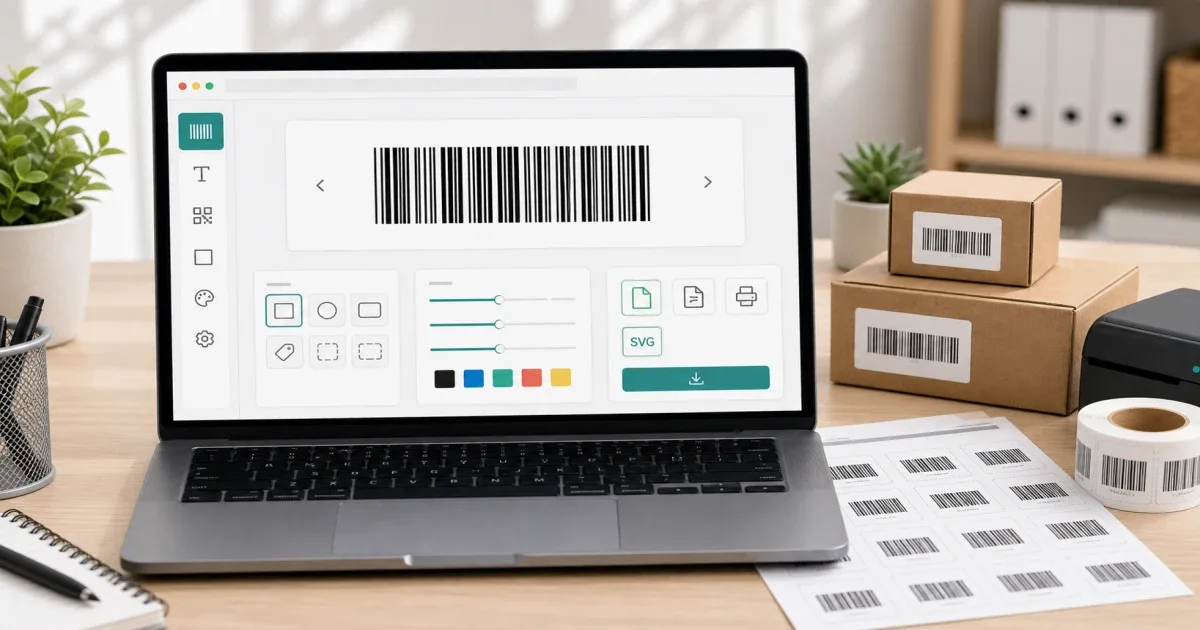
Why barcodes still matter
Barcodes are still one of the simplest ways to connect a physical item with digital information. A small label can identify a product, carton, shelf location, inventory item, event badge, or internal asset. You do not need a large retail system to create a useful barcode for a small workflow.
The fastest approach is to use a browser tool. Open Barcode Generator, enter the value, choose the format, adjust the size and colors if needed, then download the barcode as SVG.
Which barcode format should you choose?
The format depends on the use case. CODE 128 is a good general-purpose choice because it supports letters and numbers. It is useful for internal labels, stock codes, and flexible workflows.
EAN-13 and EAN-8 are common for retail products. UPC-A is common in North American retail. Code 39 is often used in industrial and logistics workflows. ITF-14 is common for cartons and packaging. MSI is used in some inventory systems, and Pharmacode appears in pharmaceutical workflows.
If you are printing labels for an internal list, CODE 128 is usually the easiest starting point. If you are preparing product packaging for a store, check the required standard before printing.
Barcode or QR code?
Use a barcode when the value is short and structured: product number, SKU, asset ID, or inventory code. Barcodes are fast to scan and work well on small labels.
Use a QR code when the value is longer or more flexible: website URL, contact card, Wi-Fi details, or a paragraph of text. For that workflow, use QR Code Generator. If you need to test an existing QR code, use QR Scanner.
The practical rule is simple: barcode for short identifiers, QR for richer information.
A practical label workflow
Start by deciding the exact value. Avoid spaces, random punctuation, or inconsistent codes unless your scanner system expects them.
Next, choose the format. For internal labels, CODE 128 is a safe default. For retail labels, use the format required by the store or inventory system.
Then adjust the barcode size. It should be large enough to scan reliably after printing. Avoid making bars too thin on small stickers.
Finally, download the SVG and test the print. Scan one label before printing a full sheet. This small test can save a lot of wasted labels.
Common mistakes to avoid
Do not use a retail barcode format with a random value. Formats such as EAN and UPC have specific length and validation expectations.
Do not print tiny barcodes on low-quality paper. A barcode that looks fine on screen may fail after printing.
Do not change the barcode value after creating related labels or inventory sheets. Keep a simple spreadsheet or naming system for tracking.
Do not use a barcode when a QR code would be clearer for a URL or contact details.
Final recommendation
Use Barcode Generator when you need a quick barcode for labels, packages, inventory, or internal IDs. Use QR Code Generator when the encoded content is a link or longer information.