Glazr PDF
Merge, split, compress and arrange PDF files, free and offline

Glazr PDF

Merge PDFs and pictures, split files, reorder, turn and delete pages, shrink PDFs for WhatsApp and email, convert between pictures and PDF, and add a password. Free, in Arabic, English, French and German.

Free. Signed and notarized by Apple, from IGY Apps’ releases page on GitHub.

On a Mac: open the downloaded file, drag the app icon onto the Applications folder, then open it from Applications and choose “Open” the first time.

Price
Free
System
Mac: macOS 12 or newer, Apple Silicon (M1 or newer). Windows 10 or 11 (64-bit): coming to the Microsoft Store
Version
1.0.0

Screenshots

About

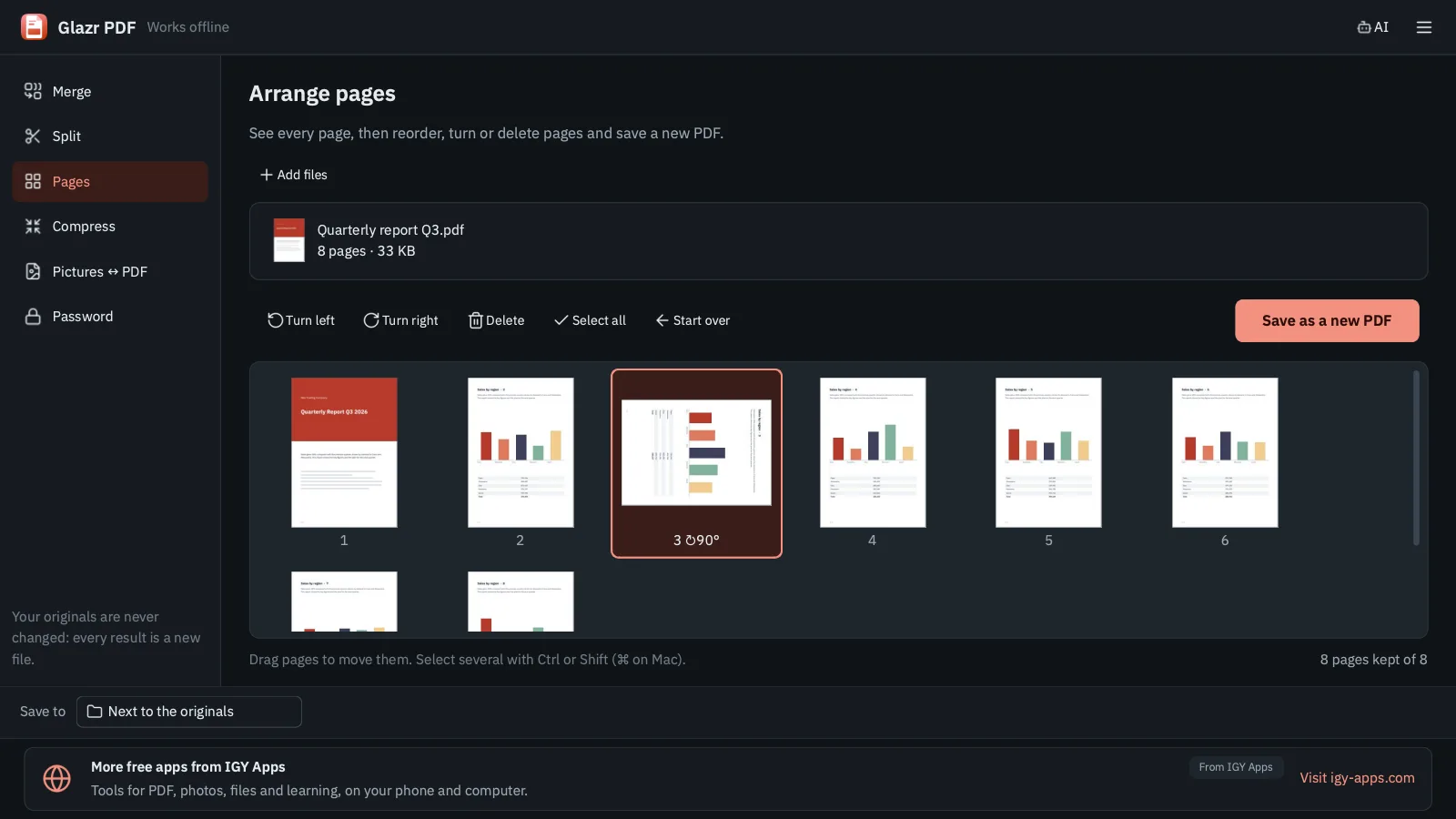
Glazr PDF is a PDF toolkit for your computer. Join several PDFs and pictures into one file in the order you choose, split a PDF into single pages, groups of pages or the ranges you type, or take out just the pages you need. The Pages tool shows every page as a thumbnail, so you can drag pages into a new order, turn them and delete the ones you don't want.

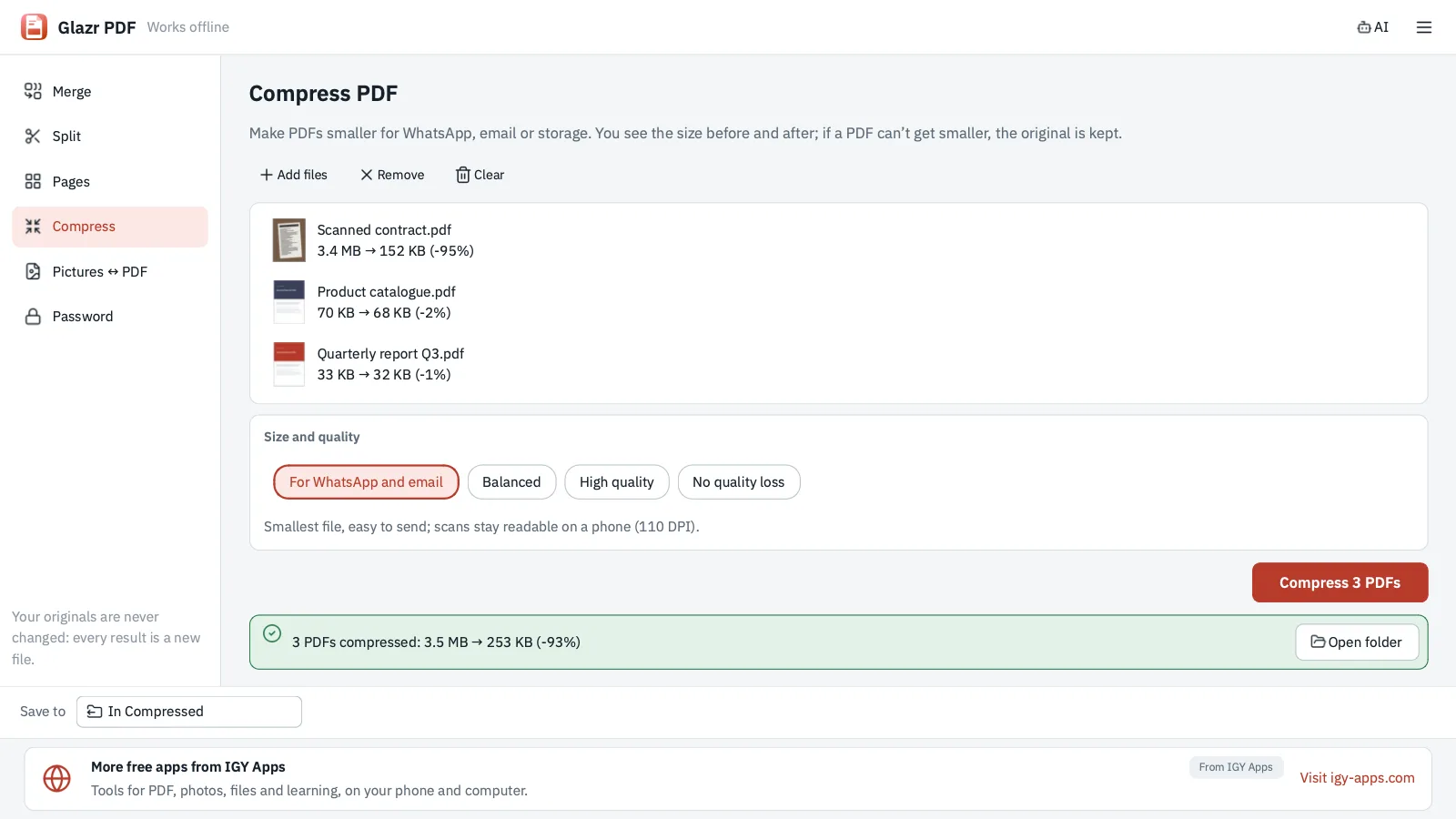
It makes PDFs smaller for WhatsApp and email with three ready settings or without any quality loss, shows the size before and after, and keeps the original when a file can't get smaller. It turns photos and scans into a PDF with the page size and margins you choose, saves PDF pages as JPG or PNG pictures, protects a copy with an AES-256 password, or removes a password you know.

Your originals are never changed or deleted: every result is a new file, and nothing is overwritten. It works offline, so your files are never uploaded anywhere, and an AI assistant (ChatGPT, Claude, Codex) can use it from the command line with instructions the app copies for you.

What you get

  • Merge PDFs and pictures into one PDF, reordered by drag and drop
  • Split a PDF: every page, every N pages, ranges you type, or chosen pages
  • Reorder, turn and delete pages in a thumbnail grid
  • Compress PDFs for WhatsApp and email, with sizes before and after; the original stays when it can't get smaller
  • Pictures to PDF (page size, orientation, margins) and PDF pages to JPG or PNG
  • Add an AES-256 password, or remove a password you know
  • Never changes originals or overwrites files; an Open folder button at the end
  • Command line and ready-made instructions for AI assistants; right-click actions on Windows
  • Free and works offline; Arabic, English, French and German, light and dark themes

Questions

Is it free?

Yes, completely: no trial, no watermark and no account. A small banner at the bottom of the window shows news from IGY Apps and, sometimes, a sponsor that is always labelled.

Are my files uploaded?

No. Everything happens on your computer and the app works offline. Your files never leave it.

How do I make a PDF small enough for WhatsApp?

Open Compress, drop the file, pick “For WhatsApp and email” and press Compress. You see the size before and after, and the smaller copy appears next to the original. If the file can't get smaller, the original stays and nothing new is saved.

Does it change my original files?

No. The app never edits or deletes your originals and never overwrites an existing file: if a name is taken it saves as report_merged_2.pdf and so on.

Can it open a PDF whose password I forgot?

No. It removes a password only when you type it, and it never guesses, cracks or bypasses passwords or the owner's restrictions.

Does it convert PDF to Word or read text from scans (OCR)?

Not in version 1.0. It focuses on merging, splitting, compressing, pictures ↔ PDF and passwords.

Can an AI assistant use it?

Yes. In the menu choose “Copy instructions for AI” and paste them into ChatGPT, Claude or Codex: they contain the glazr-pdf command and where it is on your computer, so the assistant can work on the files you name without installing any libraries.

Is there a Mac version?

Yes. The Mac version is for Apple Silicon Macs (M1 or newer) with macOS 12 or newer, signed and notarized by Apple. The Windows version is coming to the Microsoft Store.

Free tools on this site that go with it