 English
 العربية
 Français
 Deutsch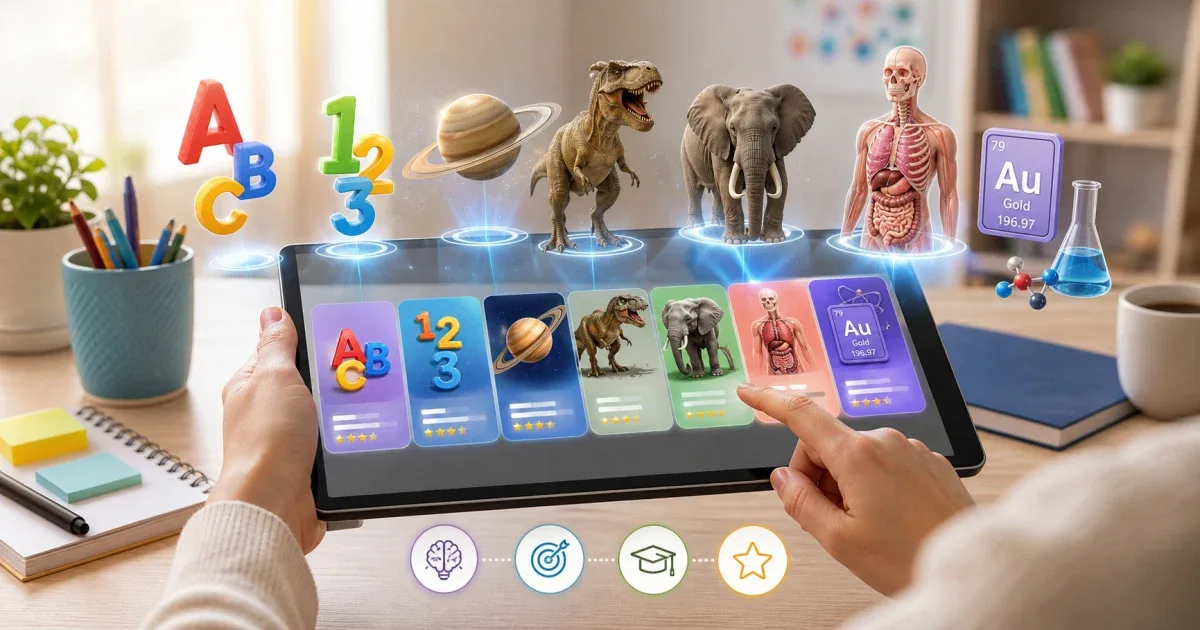
Start with the learning goal
An augmented reality learning app is most useful when the subject matches the child’s next step. IGY Apps includes several AR and 3D learning apps, but they do not all do the same job. Some are broad learning kits, while others focus on one topic such as letters, numbers, animals, anatomy, space, chemistry, or vocabulary.
Before choosing, ask one simple question: what should the learner understand better after ten minutes? If the answer is “try many subjects,” start with a broad app. If the answer is “learn planets” or “review body organs,” a focused app is usually clearer.
Choose a broad kit for exploration
AR Kids Kit 4D is the best starting point when you want one app with many sections. It combines alphabets, numbers, math, animals, dinosaurs, anatomy, the solar system, fruits, plants, shapes, and more. It also supports multiple languages and includes both flashcard and no-flashcard modes.
That makes it useful for families or classrooms where children have different interests. A younger child can move from letters to animals. An older child can open a science section. Parents can download only the sections they need, which helps avoid filling the device with unused content.
Choose a broad kit when:
- You want one app for several learning areas.
- You are not sure which subject will hold attention.
- More than one child will use the same device.
- You want flexible content downloads and language choices.
Pick a focused app for a focused lesson
Focused augmented reality apps are better when the lesson has a clear topic. If the child is practicing letters, use an alphabet app. If the child is practicing numbers, use a numbers app. The interface is simpler because everything supports the same goal.
For early learning, Alphabet AR 4D helps children explore Arabic, English, and French letters with 3D characters and writing practice. Numbers AR 4D does the same for counting and number writing. These apps are easier to use when the day’s goal is narrow: one letter set, one number range, one repeatable practice habit.
For curiosity-based learning, Animals AR 4D and Dinosaurs AR 4D turn creatures into interactive 3D models. These are useful when you want movement, sound, and visual memory to support vocabulary and facts.
Use science apps when 3D shape matters
Some subjects are hard to explain with flat pictures. This is where augmented reality can make the biggest difference. A planet’s size, an organ’s position, or a chemical element group becomes easier to discuss when learners can rotate, zoom, and place the model in their own space.
Solar System AR 4D is a good fit for space lessons because planets can appear on a floor, desk, or wall. Learners can rotate and resize them, hear names pronounced, and take photos with the models.
Human Anatomy AR 4D is better for body science. It focuses on internal and external organs, with different depth levels for younger children and older learners. Periodic Table AR 4D supports chemistry by presenting element groups in an interactive way.
Choose these apps when the learner needs to see form, position, scale, or movement.
Match the language experience
Many IGY Apps AR titles support more than one language, but the language mix is not identical in every app. Some learning apps focus on Arabic, English, and French. AR Kids Kit adds broader multilingual options, including German support in its updated experience. Dictionary apps are designed around language pairs, such as Arabic-English, Arabic-French, or Arabic-German.
If language is the main goal, consider a 3D language app such as Discover English 3D, Discover Arabic 3D, or a 3D dictionary app. These apps usually combine vocabulary topics, pronunciation, writing practice, quizzes, search, rewards, and 3D models.
If science is the main goal, choose the science app first, then check whether its language support fits the learner.
Decide whether cards are needed
Older AR learning apps often depended on printed cards. Newer IGY Apps titles often work without cards by placing 3D models directly on a surface. This matters in everyday use.
Card-free mode is better for quick sessions, travel, homeschooling, and classrooms that do not want to manage printed materials. Flashcards can still be useful when a teacher wants a physical object on the desk or when younger children enjoy pointing the camera at a card and seeing it come alive.
Before installing, check whether the app supports the mode you prefer. AR Kids Kit is flexible because it includes both approaches.
A simple decision path
Use this quick path when choosing:
- For a first all-purpose AR app: choose AR Kids Kit 4D.
- For letters and handwriting: choose Alphabet AR 4D.
- For numbers and counting: choose Numbers AR 4D.
- For animal vocabulary and movement: choose Animals AR 4D.
- For prehistoric creatures and science curiosity: choose Dinosaurs AR 4D.
- For space lessons: choose Solar System AR 4D.
- For body science: choose Human Anatomy AR 4D.
- For chemistry: choose Periodic Table AR 4D.
- For language vocabulary: choose a Discover 3D or 3D Dictionary app.
The right augmented reality learning app is the one that keeps the lesson clear. Start with the subject, match the age and language, then choose the app that gives the learner something useful to see, hear, move, and repeat.