 English
 العربية
 Français
 Deutsch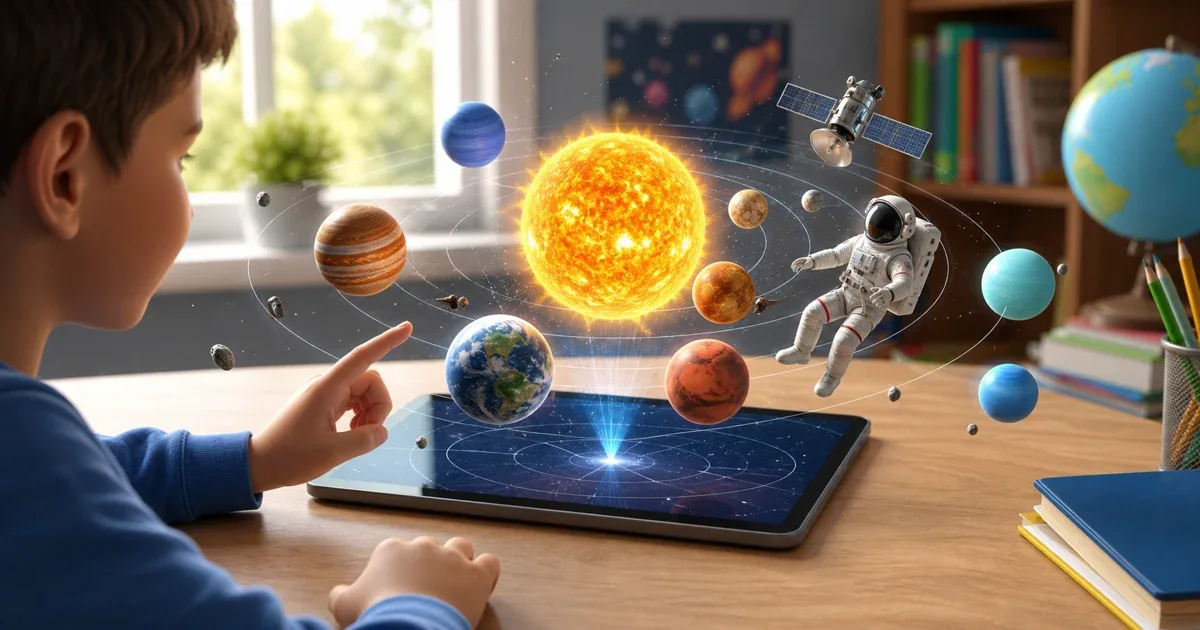
A solar system AR app for visual science learning
Solar System AR 4D is an educational augmented reality app that helps children explore astronomy by placing planets, the Sun, and space exploration objects into the real world through the device camera. Instead of only reading planet names from a page, learners can see 3D models on a desk, floor, or classroom table, then rotate, scale, and inspect them.
The app is designed for kids, parents, and teachers who want a more visual way to introduce space lessons. It works especially well when a child needs to understand the order of planets, the difference between the Sun and planets, and the idea that space objects can be studied from multiple angles.
You can open the app page here: Solar System AR 4D.
What children can explore
The app focuses on two learning areas. The first is the Solar System section, which includes the Sun, Mercury, Venus, Earth, Mars, Jupiter, Saturn, Uranus, Neptune, and a full solar system view. This helps children move from individual planet recognition to a wider view of how the planets relate to the Sun.
The second area covers space exploration objects such as an astronaut, space shuttle, space station, satellite, and telescope. These models connect astronomy with human exploration, so the lesson is not only about planets but also about how people observe, visit, and study space.
Why augmented reality helps with astronomy
Astronomy can be difficult for young learners because space is too large to experience directly. Augmented reality makes the lesson smaller, closer, and easier to inspect. A planet can appear on a table. A satellite can float above the room. A child can walk around the model and look at it from different angles.
This kind of visual interaction does not replace a teacher or parent explanation, but it gives the explanation something concrete to point to. When the child can rotate a planet or compare it with another object, the lesson becomes less abstract.
Audio narration in three languages
Solar System AR 4D includes educational audio narration for the models in Arabic, English, and French. This is useful for children who learn better by listening while watching. It also helps with vocabulary, because the child can hear planet and space object names in the selected language.
For bilingual families or classrooms, the language support can make the same science topic useful in more than one learning context. A child may explore the model visually, hear the narration, then repeat the vocabulary with a parent or teacher.
Interaction: rotate, scale, place, and capture
A good AR learning app needs more than a static model. Solar System AR 4D lets learners place the selected object on a real surface, scale it, rotate it, and inspect it from different viewpoints. This makes the app useful for both quick curiosity and structured explanation.
The screenshot feature is also helpful. A child can capture an AR scene with a planet or space object in the room, then use that image for revision, a class activity, or a simple science discussion.
How parents and teachers can use it
For parents, the app can turn a short science question into a hands-on activity. If a child asks about Mars, Saturn, or the Sun, you can open the model, listen to the narration, and talk through what appears on the screen.
For teachers, it can support a classroom introduction before a worksheet, a discussion about planet order, or a small-group activity where students describe what they see. It is most effective when paired with questions:
- Which planet is closest to the Sun?
- What makes Earth different from the other planets?
- Why do satellites matter?
- What does a telescope help us observe?
- How is a space station different from a space shuttle?
Part of a wider IGY science AR collection
Solar System AR 4D fits naturally beside other IGY educational AR apps. If the lesson moves from space to chemistry, Periodic Table AR 4D helps students explore elements and 3D atom models. If the lesson moves from space to biology, Human Anatomy AR 4D introduces body organs and anatomy models in augmented reality.
For broader early learning, AR Kids Kit 4D offers a wider collection of child-friendly AR topics. The best choice depends on the lesson: space, chemistry, anatomy, or a broader mixed learning kit.
Best learning workflow
Use this simple workflow:
- Open Solar System AR 4D.
- Choose the learning language.
- Select the Solar System or space objects section.
- Pick a planet or object.
- Place it on a flat surface using AR.
- Rotate and scale the model while listening to the narration.
- Ask the child to describe what they see.
- Capture a screenshot if you want to keep the learning moment.
Solar System AR 4D is strongest when it is used as a conversation starter. The AR model attracts attention, and the parent or teacher turns that attention into understanding.