Glazr Download Manager
Free download manager for Windows and Mac

Glazr Download Manager

Fast downloads that resume after a dropped connection, with a queue and a schedule. Free for Windows and Mac, in Arabic, English, French and German.

Windows version coming soon to Microsoft Store.

Free. Signed and notarized by Apple, from IGY Apps’ releases page on GitHub.

On a Mac: open the downloaded file, drag the app icon onto the Applications folder, then open it from Applications and choose “Open” the first time.

Price
Free
System
Windows 10 or 11 (64-bit), or a Mac with Apple silicon (M1 or newer) on macOS 12 or newer
Version
1.0

Screenshots

About

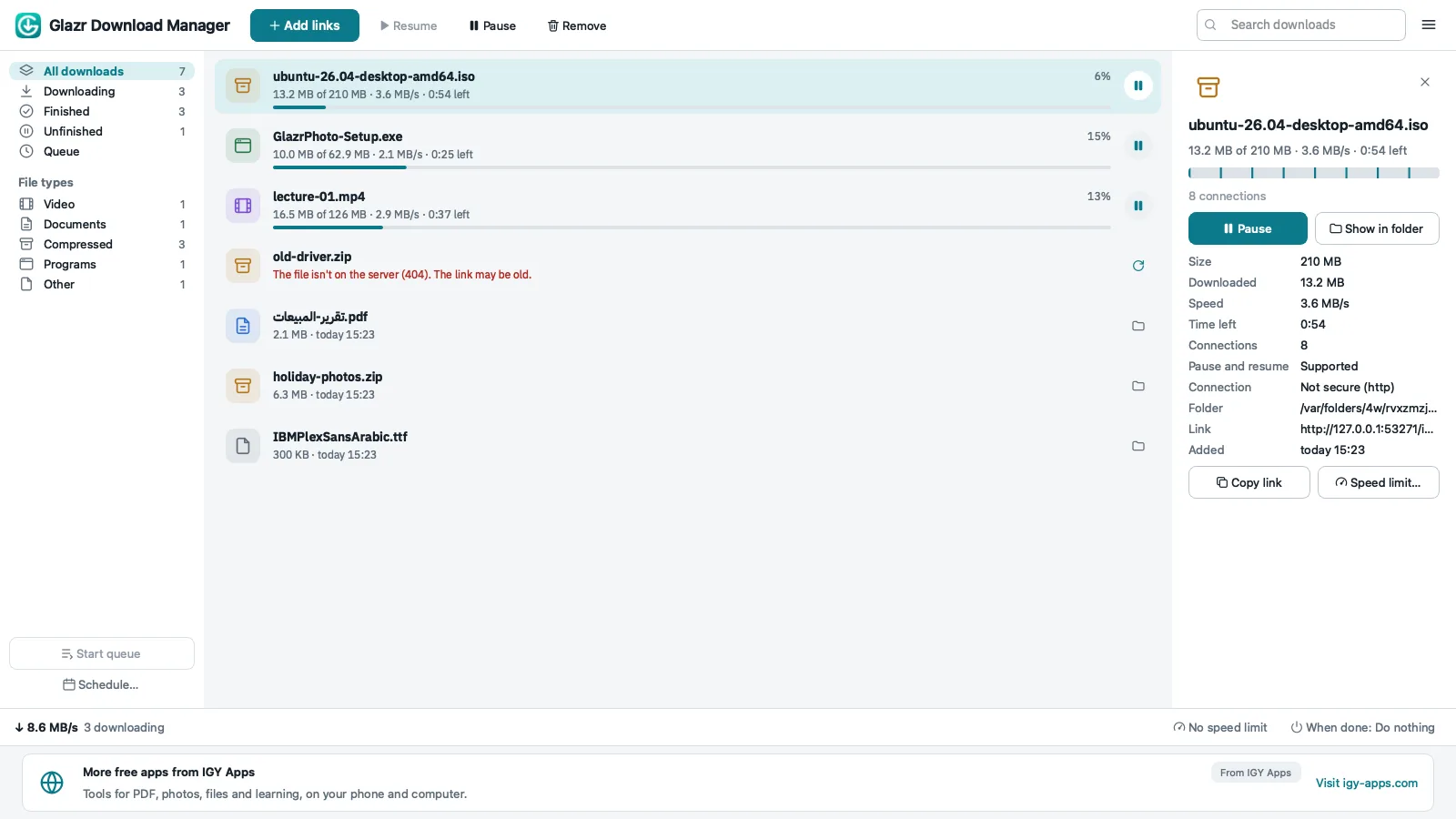
Glazr Download Manager makes your downloads faster and safer, and lets you pause and resume them any time, even after a restart or a dropped connection.

Paste a link and start the download; a browser extension that sends your downloads to the app is coming soon. Each file is downloaded over several connections at once, and every finished part is kept on disk, so nothing is lost when the network drops.

Safe by design: secure connections are always verified, downloaded files are marked as coming from the internet so Windows still checks programs before they run, and the app never opens or runs a file by itself.

What you get

  • Up to 16 connections per file, split again as parts finish, for faster downloads
  • Pause and resume any time, even after a restart or a dropped connection
  • Tries again by itself when the network drops, and continues where it stopped
  • A queue with up to 10 downloads at a time, and a schedule to start and stop it
  • Speed limit for all downloads or for a single one
  • Sleep or shut down when the queue is done
  • Paste many links at once, or patterns like file[01-20].zip
  • Folders by file type, and SHA-256 checks
  • Arabic file names saved correctly, whatever encoding the server uses
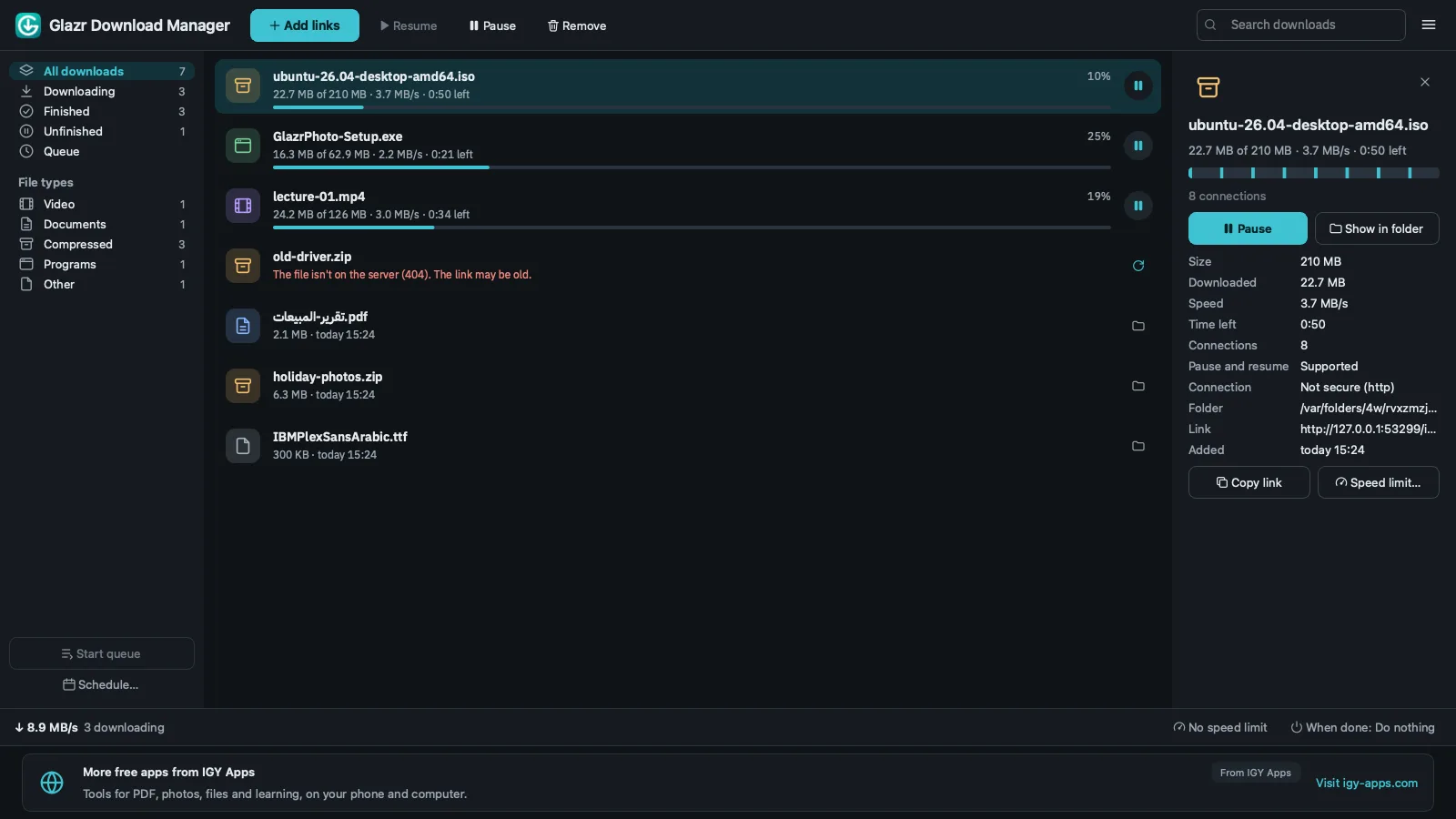
  • Arabic, English, French and German, with light and dark themes

Questions

Is it free?

Yes, completely: no account, no bundled offers and no tracking. A small banner at the bottom of the window shows news from IGY Apps and, sometimes, a sponsor that is always labelled.

Why download it from the Microsoft Store?

Microsoft signs, checks and updates the app, so Windows shows no “unknown app” warning and updates arrive by themselves.

Does it resume after a dropped connection?

Yes. Every finished part is kept, and the download continues where it stopped once you are back online or after a restart, as long as the server supports resuming.

Can it download YouTube videos?

No. It downloads files from their direct links. It does not download from streaming sites and does not bypass copy protection.

Is there a Mac version?

Yes. The Mac version is available now for Macs with Apple silicon (M1 or newer) on macOS 12 or newer, signed and notarized by Apple. Intel Macs are not supported for now.

Free tools on this site that go with it